

Version 1 accepts Hugging Face model identities. Future protocol versions may introduce additional identity namespaces, but a launch must always represent a real pinned model rather than a generic project token.
Launching before service
You do not need an active inference provider to launch a market. The market can trade while the model is unserved, allowing demand to form before a provider takes on the cost and operational work of deploying an endpoint. Make the model identity and metadata complete enough for providers to evaluate the opportunity. Trading activity does not guarantee that a provider will enter, and inference remains unavailable until an eligible offer becomes active.Prepare the model identity
Collect:- Version 1 Hugging Face repository in
owner/repositoryform. - Exact 40-character commit SHA.
- Supported inference task.
- Credit name and symbol.
- Metadata commitment.
Choose market economics
You select:- An enabled curve preset.
- The initial native LP fee within current factory bounds.
- The model creator’s inference settlement share.
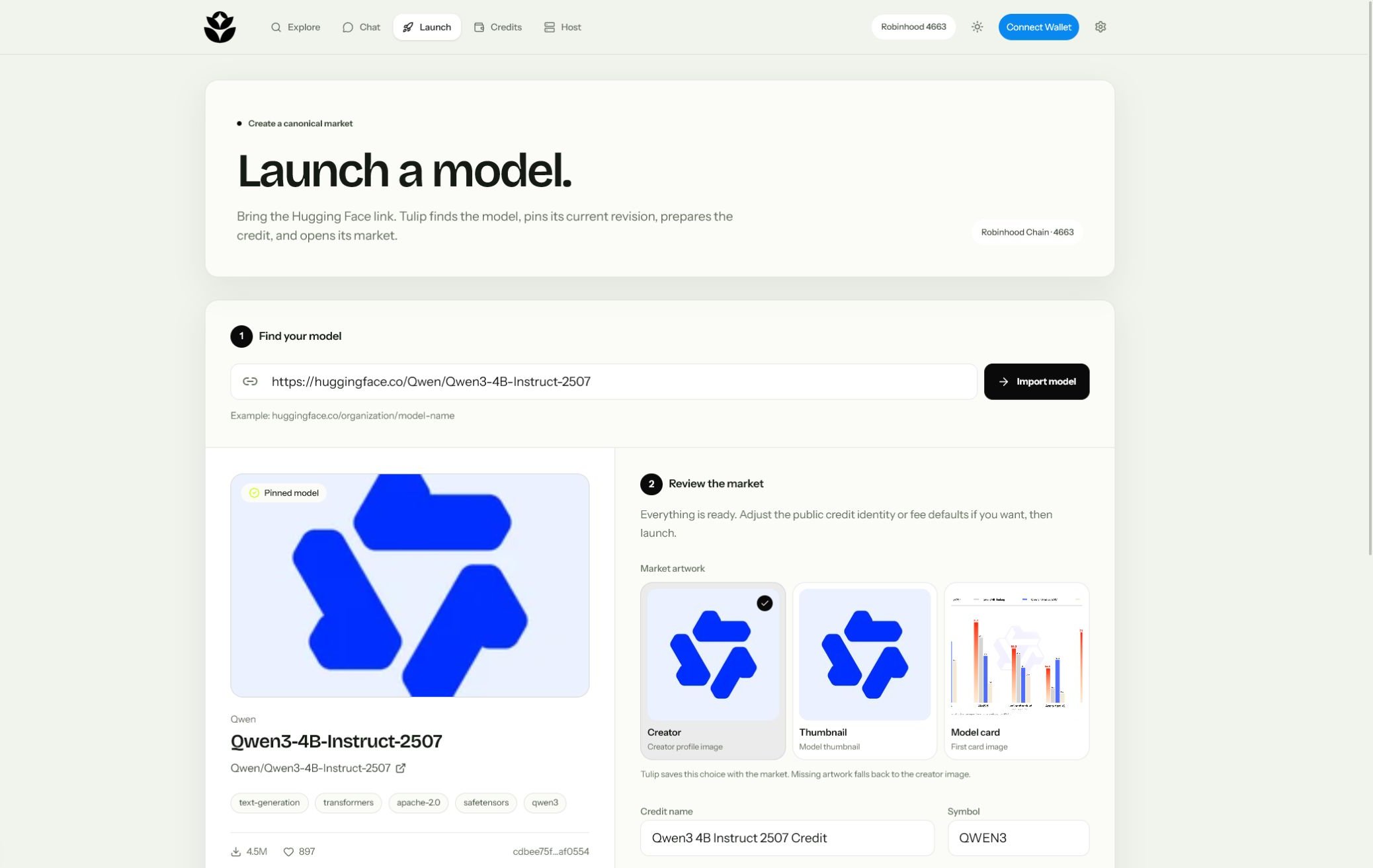
Launch
Review the preview
In Tulip, open Launch a market, choose the model identity and production preset, then review token ordering, tick bounds, starting price, supply, and fee distribution.
Protect the launch
Confirm the commitment transaction. It binds the hidden launch salt and full market configuration to your creator wallet so another account cannot copy the pending launch and capture its rights.
Reveal the atomic launch
After the commitment is confirmed in a prior block, confirm the reveal transaction before the displayed deadline. Tulip reports any duplicate ModelID, expired commitment, disabled preset, or out-of-bounds fee.
Verify the records
Open the completed transaction in Blockscout and confirm the
ModelLaunched, MarketLaunched, PositionLocked, CanonicalMarketBound, and active listing events.After launch
The market creator may:- Update the model metadata commitment.
- Schedule a pool LP-fee change within current protocol bounds; activation requires the one-hour safety delay.
- Collect its configured share when anyone calls fee collection on the locker.
- Register a provider offer like any other operator.